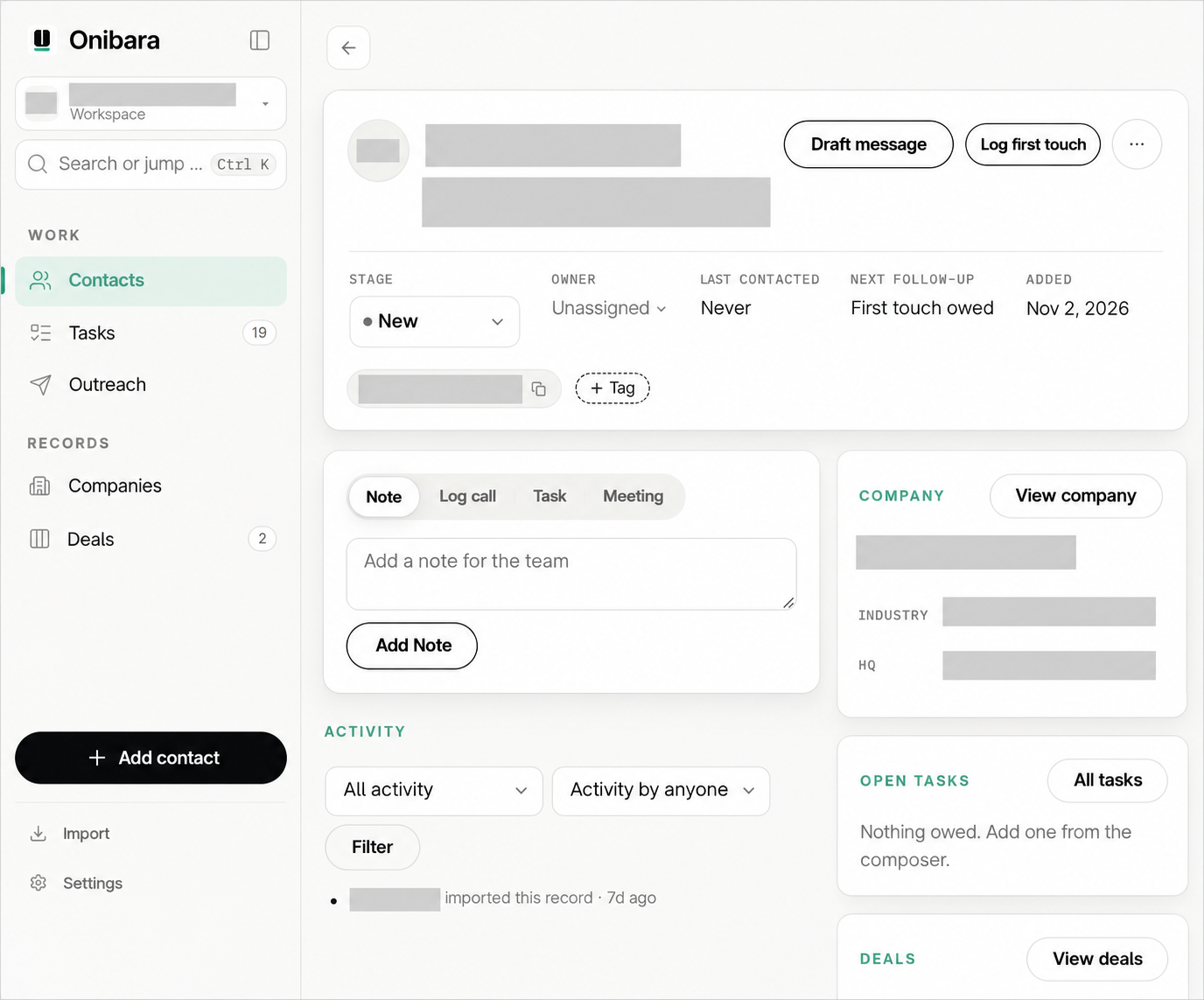
Add a person, import your existing contacts, or extract details from a business-card image. Review what was read before you save.
Start with one real customer or prospect.
 OnibaraSign in
A CRM for small industrial sales teams
Prepare outreach, follow up with context, and leave a clear next step for your team. Onibara brings customer knowledge and AI tools into the same place.
Free during early access. We’ll give advance notice before the paid launch.
Built around the customer work of independent MRO and safety distributors. Starting in Texas.
One business. Shared customer knowledge.
A useful next action.
From a new contact to a useful follow-up
A business card, a call, a meeting. Keep the useful details close to the work they should inform.
Add a person, import your existing contacts, or extract details from a business-card image. Review what was read before you save.
Start with one real customer or prospect.
Use your company’s offer, voice and relevant recorded history to prepare an introduction or follow-up. Review the draft, make it yours, then copy it into your usual channel.
Your team decides what gets sent.
Save the useful update. Give the next action an owner and a due date, so a colleague can see what happened and what needs to happen next.
The customer history stays with the business.
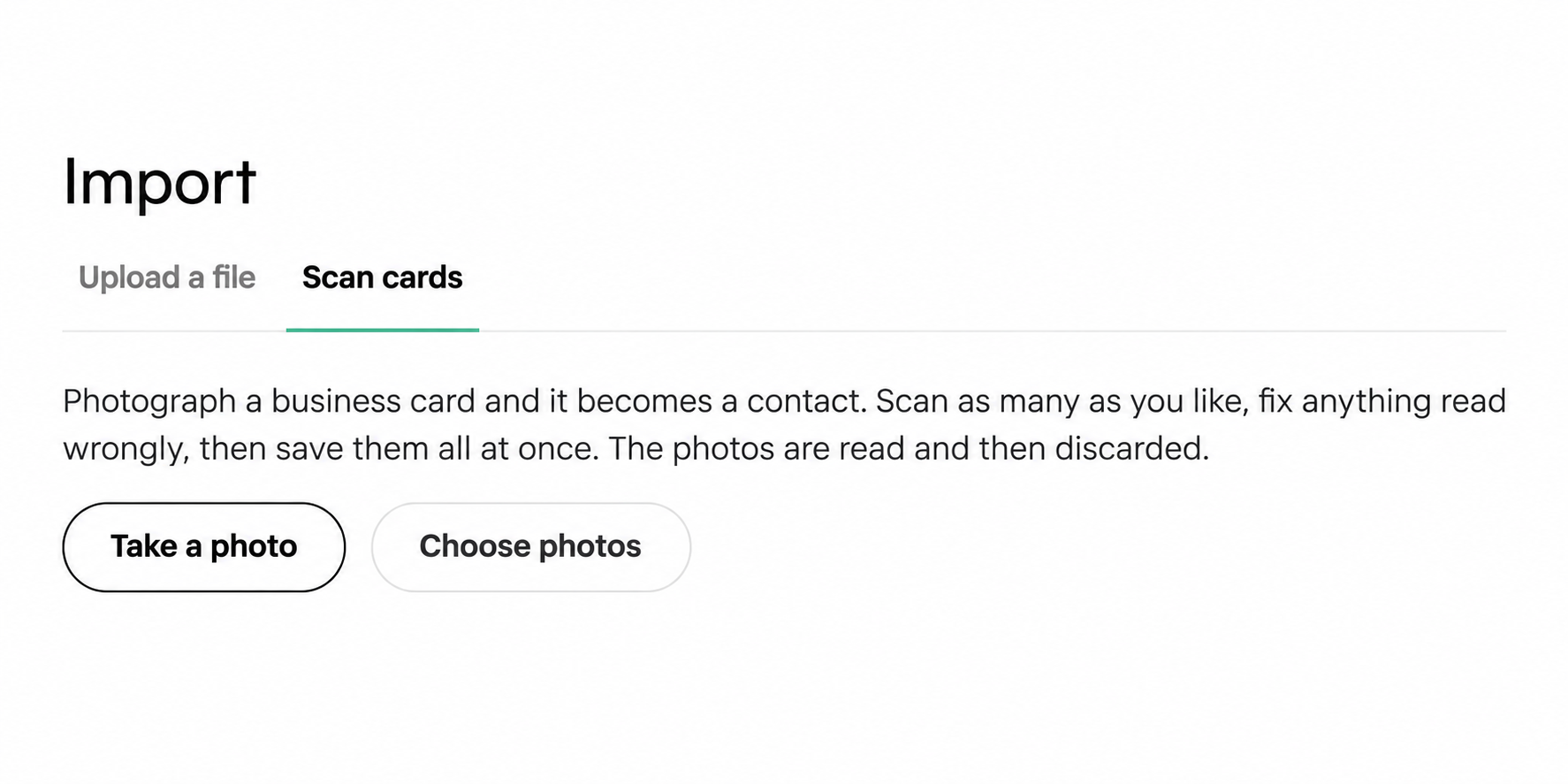
Hover over a step, or select it, to explore. Select the image to inspect it.
Onibara + Claude
Working in Claude? Connect Onibara to retrieve customer history and prepare your next follow-up using your business records.
Keep using the app for your day-to-day work. Your team has a shared place for the information behind it.
Start with your businessA question to ask in Claude
“What did we last discuss with this customer, and what is the next recorded action?”
Example prompt. Connect and authorize your account first. Available actions depend on the supported client and your permissions.
After the meeting
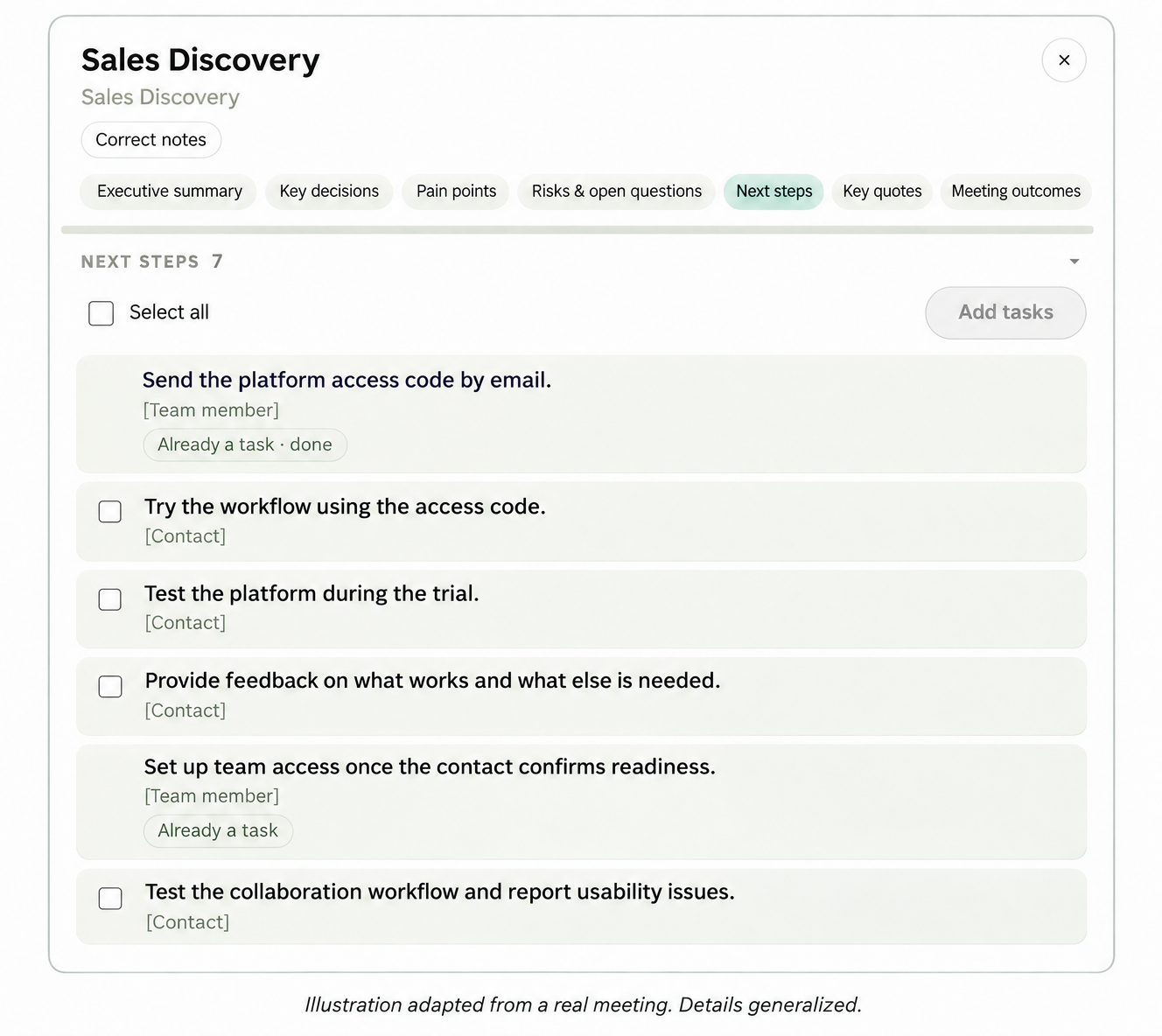
Bring in a meeting transcript. Onibara organizes the discussion into a summary, decisions, open questions and suggested next steps, with a follow-up email to review.
Choose which actions become tasks. Keep the reviewed meeting record with the customer, ready for the next person to pick up.
A suggestion is a starting point.
Your team reviews it and decides what to act on.

Product illustration · transcript input
A small first step
Create your business workspace, add the company context you want to use, and prepare your first message.
Bringing existing data? We can help with an agreed import, configuration and team walkthrough during early access.
Each business has its own workspace. Set up Claude after your first useful app workflow, whenever it suits you.
One subscription per business
Use Onibara with real customer work while the product develops around what small teams need.
During early access
Free
Until we announce the paid launch with advance notice.
$49 / business / month
Includes 5 users. Then $10 per additional user per month.
We’ll explain the paid transition before it begins.
No. Onibara’s app is a complete way to manage contacts, prepare drafts and record next actions. A supported Claude connection is an additional way to work with your company’s records.
You review and copy drafts, then send through your usual channel. Record the actual interaction afterward so your team has useful history.
Yes. Import contacts from a spreadsheet or add them individually. We can agree on help with your first import and setup during early access.
Yes. Each business has an independent workspace and access is scoped to its members. The subscription is per business.
Onibara focuses on customer context, outreach, follow-up and team actions. Keep your existing systems for inventory, pricing, orders and quotes.
We’ll announce the paid launch and explain the transition in advance. The planned subscription is $49 per business per month for five users, plus $10 per additional user.
Your customer knowledge. Put to work.
Start with one contact and a useful next step.